Books

UPSC Prelims Admit Card 2024 is released now. Candidates should know the steps to download UPSC Prelims Admit Card. Know How to download UPSC Prelims Admit Card 2024.
UPSC Prelims Admit Card 2024 is very important for the UPSC CSE 2024 Aspirants. UPSC CSE Prelims 2024 is around the corner and UPSC aspirants are eagerly waiting for the UPSC Prelims Admit Card 2024 to be released. It is very important that the candidates know how to download UPSC prelims admit card 2024.
UPSC CSE Prelims is to be held on 16th June, 2024, after being postponed from 26th May, 2024, due to a clash with General Elections dates. UPSC is expected to release the UPSC Prelims Admit Card by the first week of June. UPSC Candidates should be ready and should know how to download the UPSC Prelims Admit Card 2024, whenever it is released.
Let us know how to download UPSC prelims admit card 2024 have a look at the complete steps to download UPSC Prelims Admit Card. The complete list of details mentioned in the UPSC prelims Admit Card 2024 is also given here.
The UPSC Prelims is to be held on 16th June, 2024 and the UPSC Prelims Admit Card 2024 is expected to be released by the first week of June, 2024. The candidates can download the UPSC Prelims admit card from the official UPSC Website (upsc.gov.in).
The students appearing for the UPSC Prelims 2024 can also download the UPSC Prelims Admit Card 2024 from the direct Link below, which is active now to download UPSC Prelims Admit Card 2024.
Direct Link to Download UPSC Prelims Admit Card 2024 (Link Inactive)
The UPSC Prelims Admit card 2024 is released on the official website of UPSC by the first week of June 2024. Candidates appearing for UPSC Prelims Exam 2024 can follow the steps below to know How to download UPSC Prelims Admit Card 2024:

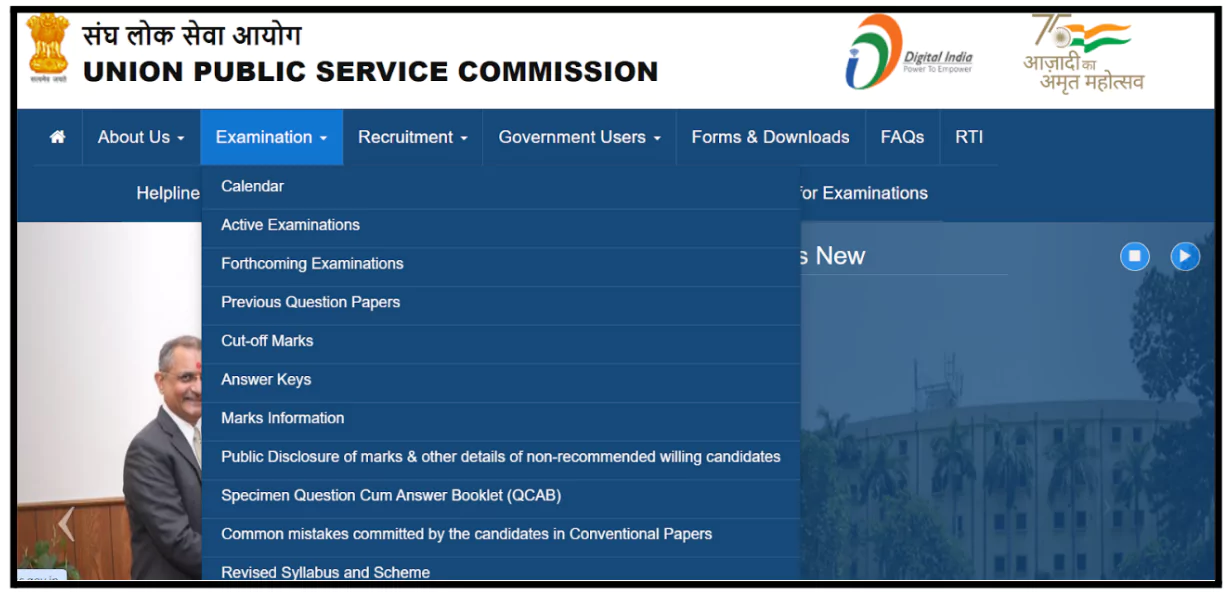
1. Go to the UPSC website (upsc.gov.in), and in the top menu, bring the cursor to the Examinations Tab. A drop down menu will appear.
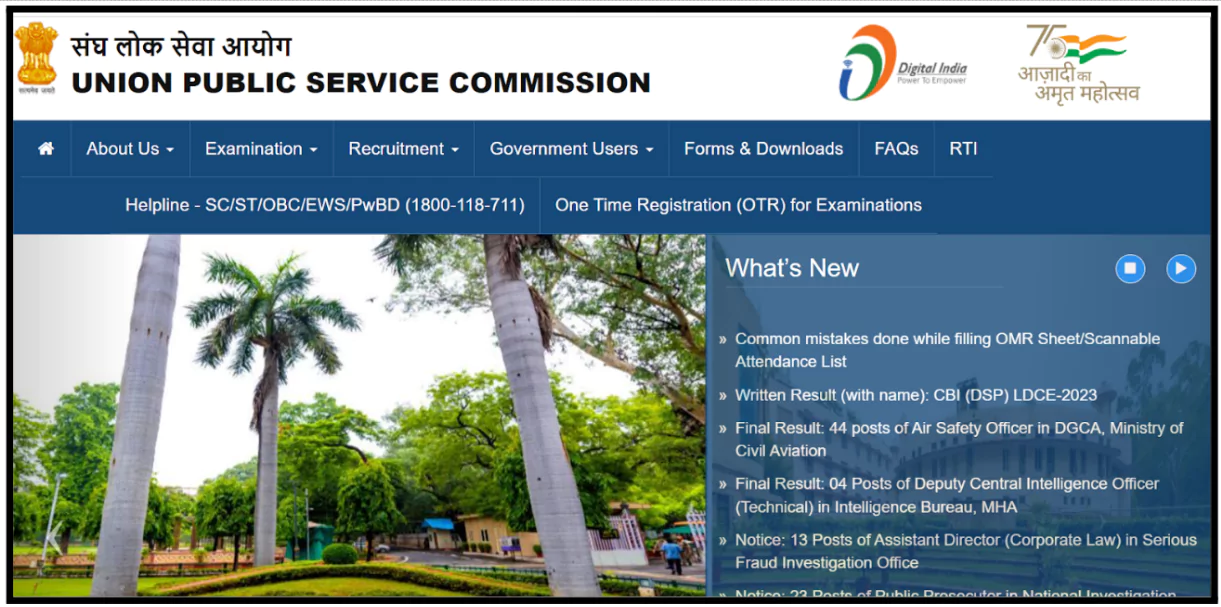
2. From the Drop Down Menu, Select “Admit Cards” and click on the UPSC CSE 2024 Prelims Admit Card Link. A login page will open.
3. Once on the login page, you’ll be presented with instructions. Carefully read through them and click the checkbox to proceed.
4. You will be given a choice of either Login by registration number, or roll number, along with your Date of Birth and Captcha Image.
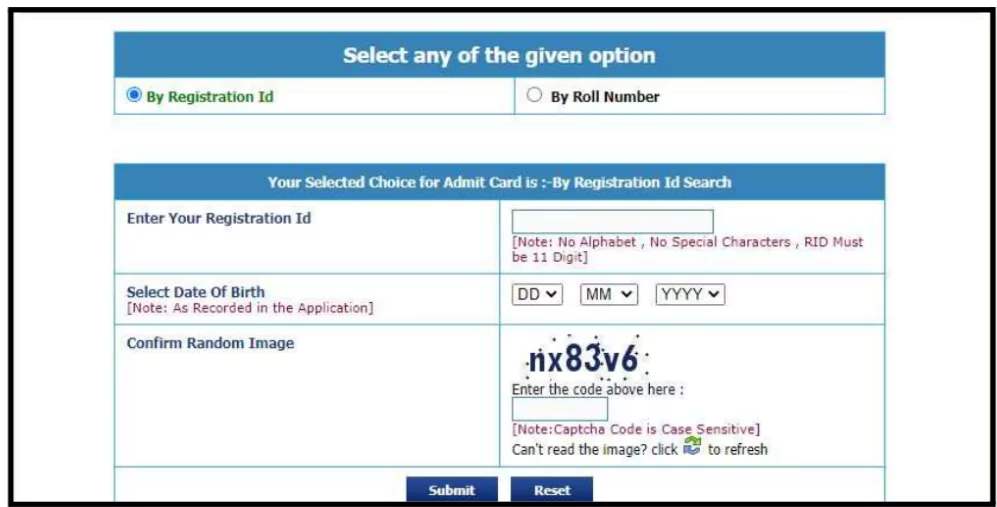
5. After a successful login, the UPSC Prelims Admit Card will be displayed on the screen. Ensure to review all the details on the Admit Card.
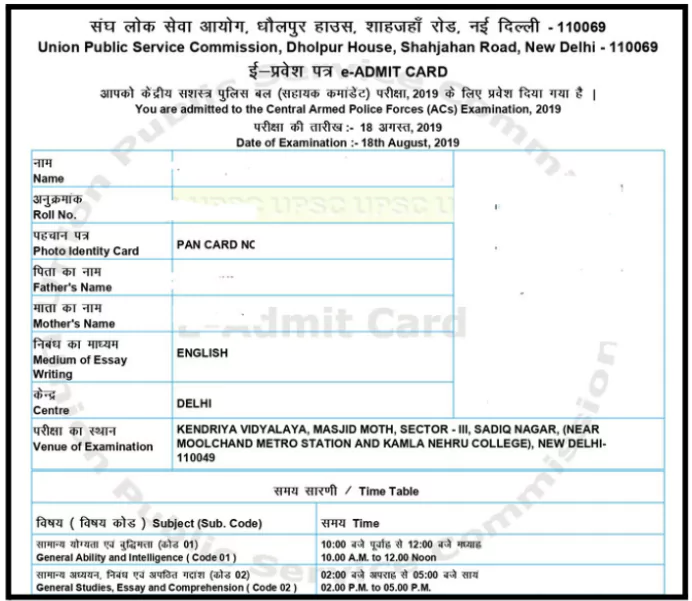
6. Finally, print out a copy of the Admit Card for your records and future reference.
The UPSC Prelims Admit Card 2024 is to be released by the first week of June, 2024. The candidates should know How to download UPSC Prelims Admit Card 2024. There are several details mentioned on the UPSC Prelims Admit Card.
The details mentioned on the UPSC Prelims Admit Card include:
The candidates should check their details mentioned on the Admit Card, and in case of any discrepancy, he/she should immediately raise the query with UPSC. They can directly contact the Commission’s Office either in person or over phone Nos. 011-23381125/011- 23385271/011 – 23098543.
If the uploaded photo on the Admit Card is blurry, or not properly visible, then the candidate should carry 2 extra passport size photos to the UPSC Prelims Exam Centre along with undertaking.
If you are also appearing for the UPSC Prelims 2024, then Boost your score by joining the test series from Physics Wallah!
Explore UPSC Test Series

To download the UPSC Prelims admit card, visit the official UPSC website, navigate to the admit card section, log in with your registration number (or Roll Number) and Date of Birth, and download/print your admit card.
To download the UPSC Prelims admit card for 2024, visit the official UPSC website, navigate to the "Admit Card" section, enter your registration number or Roll number and Date of Birth, then download and print the admit card for the examination.
Yes, you can download your UPSC Prelims admit card online from the official website of the Union Public Service Commission (UPSC). Ensure you have your registration ID, Date of Birth and other required details ready for access.
Yes, you can download the UPSC Prelims admit card on your phone by visiting the official UPSC website. Downloading the UPSC Admit Card on Phone through any browser has the same steps as for any browser on PC.
The registration number is sent to the candidate via message and mail after the successful registration of the candidate for the UPSC Exam. After the final submission, another message and email are sent to the candidate with Registration Number on it.



Explore SRIJAN Prelims Crash Course


Connect with our experts to get free counselling & start preparing
Books
Udaan (Prelims Wallah)
Prahaar (Mains Wallah)
Q&A Bank (Prelims & Mains)
Budget & Economic Survey
NCERT Wallah
Marks Booster
हिंदी माध्यम विशेष शृंखला
 Current Affairs
Monthly Current Wallah
Subject Wise Current Affairs
Editorial Analysis
Editorial PDFs
News of The Day
Download Our App



Download Our App
<div class="new-fform">
</div>

 GS Foundation
 Optional Course
 Combo Courses
 Degree Program